



Have you been waiting for an app that makes organizing your class events and meetings even easier? Welcome to Calendar, a new application that lets you create and share events and schedules.
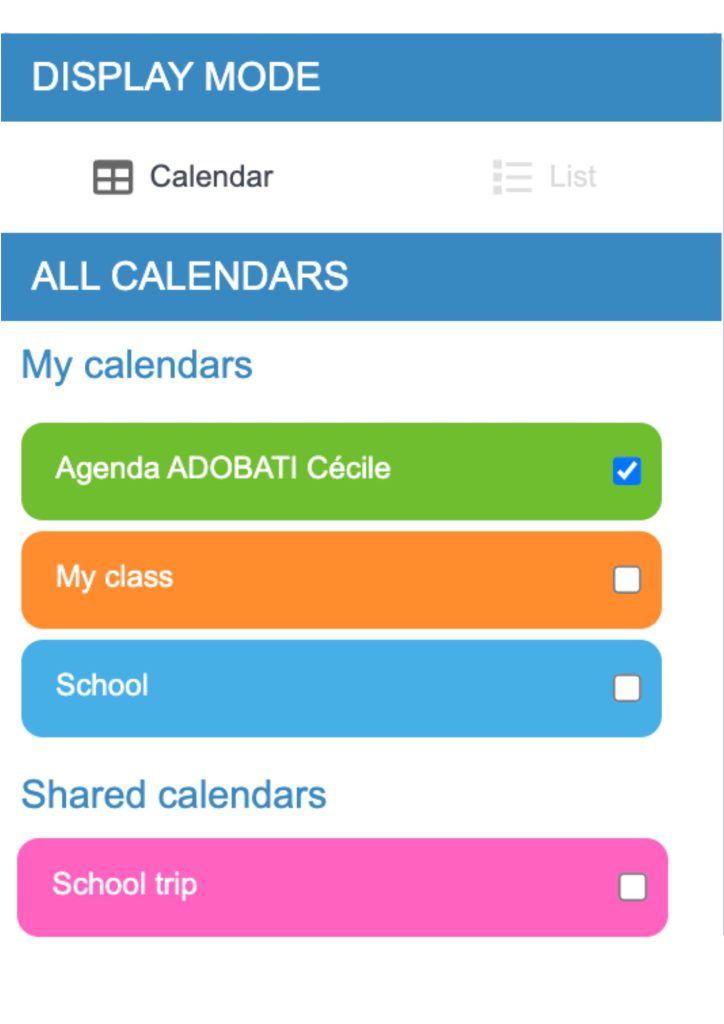
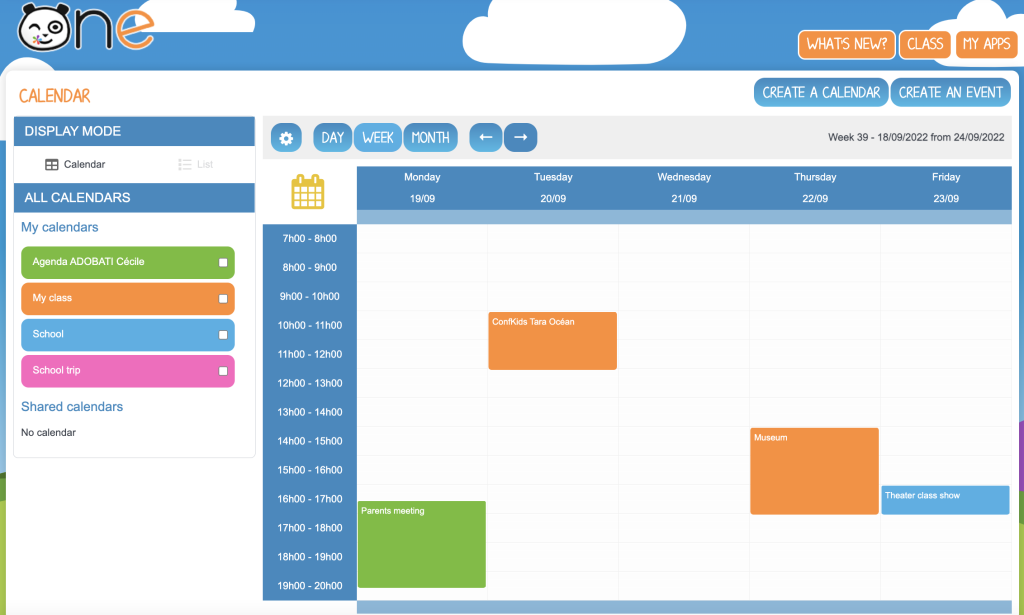
With the new Calendar app, you can look at all your events at a glance. The left-hand column lists all your calendars, including both the ones you’ve created and the ones that have been shared with you. Every calendar has a unique color so you can better tell them apart in the calendar view.
Managing my personal calendar
By default, every user will start off with a personal calendar. You can use it to note down upcoming personal events or to create group events and share them with the users of your choice by clicking on “Save and share.”
Creating a calendar
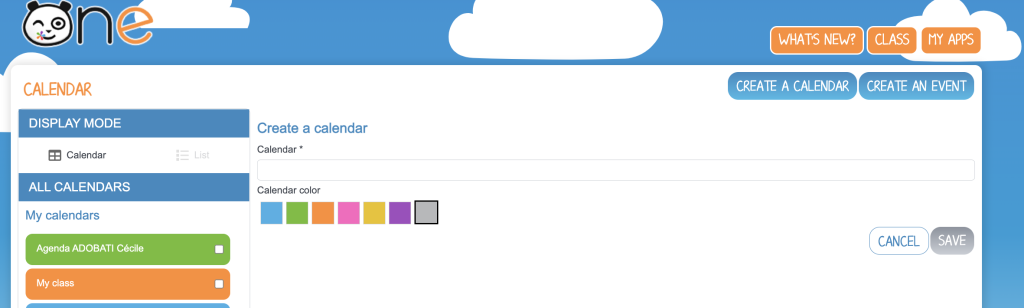
You can also create calendars dedicated to a specific topic, like highlights from your class, and then share the entire calendar with the class’s students and parents. You can add birthdays, parent meetings, and field trips, for example. Simply click on “Create a calendar,” pick a color, and save. Click on the same calendar on the left-hand column, then click “Share.”
Creating an event
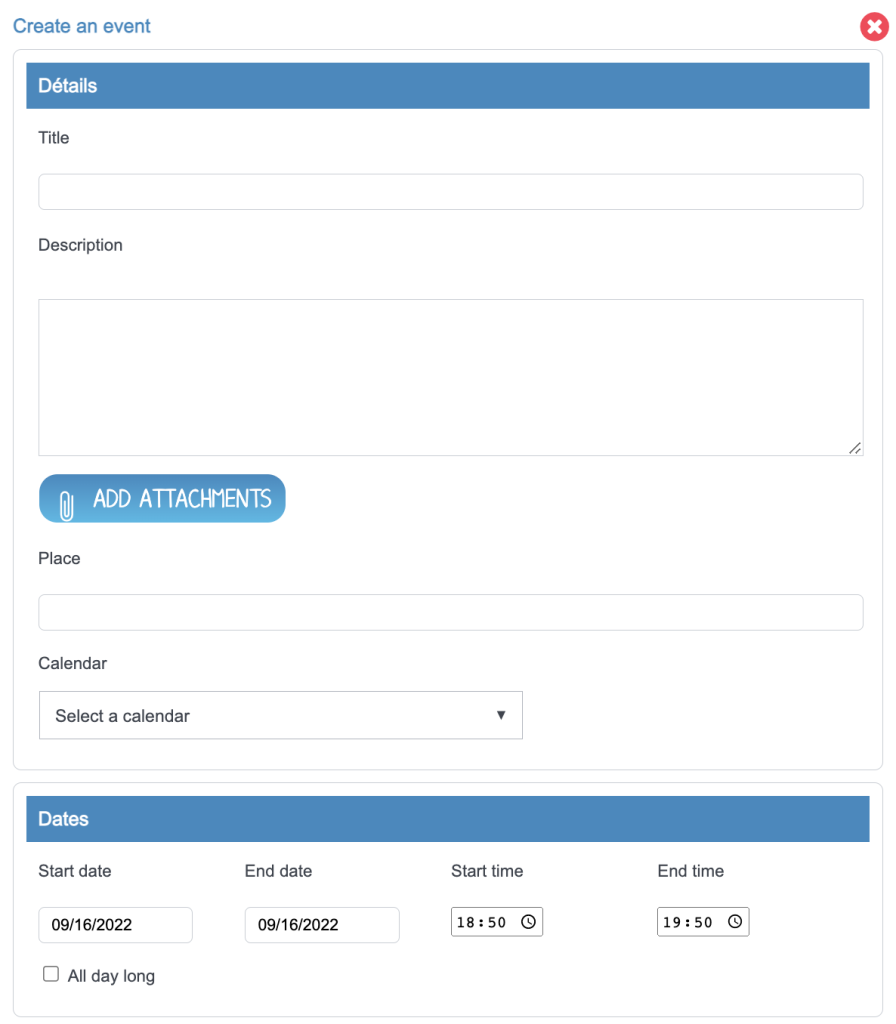
Click on “Create an event” and type in a title. You can also add a description, attachments, and a location. Next, select the calendar where you would like the event to appear, and specify the date and time. The “Repeat” option lets you save time by automatically duplicating the event according to a set frequency. Click on “Save” to add it to the calendar and share it with everyone who has access to the schedule. Click on “Save and limit access” to ensure only specific users will be able to view the event.
comments
Add comment